Stop renting your own website
A website that's yours to keep, hosted free with no monthly bill. Start from a designer template, move the site you already have, or have Claude design one with you.
- to host on GitHub Pages
- $0
- Or on your own Cloudflare account. A domain is optional.
- templates and looks
- 20 × 3
- Plus 277 designed sections that take on your style.
- Lighthouse performance
- 99–100
- Every template's home page on mobile, in our own tests.
- of JavaScript per page
- < 6 KB
- Template home pages ship 1.6 to 5.2 KB. The rest is static HTML.
Bring your site home
Paste your site's address and we move it to a free site you own forever: your words, pictures and pages, at the same addresses. Nothing to install, and your current site stays online throughout.
Squarespace, WordPress, Wix, Webflow or anywhere else. We recognise where your site lives and bring it across; for platforms without a dedicated importer, each page is rebuilt from what visitors see.
For developers: the same move from Claude Code or a terminal.
In Claude Code: /plugin marketplace add omniharmonic/openspace, /plugin install openspace@openspace, then /openspace:migrate https://www.example.com.
In a terminal: npx @omniharmonic/openspace-cli import <url>.
Paste your address
Sign in, paste the address of the site you have today and confirm it's yours. The old one stays up throughout.
It brings everything across
Pages, blog posts, images with their alt text, SEO titles and descriptions, and a redirect for every address that changes.
It goes live, free
In a few minutes your new site is online at a free address, and open in the editor. We tell you plainly anything that didn't come across exactly.
Polish it, with Claude if you like
Edit anything you see. Connect Claude and it compares the old and new pages side by side, at desktop and phone widths, and refines them for you.
Move your domain
The domain wizard shows the exact records to change and checks them until HTTPS is on. Only then do you cancel the old plan.
Or start with Claude
Tell Claude about your idea. It asks a few good questions, designs your site with you and puts it online with OpenSpace, then hands you the link to edit it. Bring your brand if you have one: a logo, photos, colours, or a page Claude already made you.
Connect Claude once
Add OpenSpace to Claude on claude.ai or in the desktop app. About two minutes, nothing to install, and you choose what it may do.
Talk it through
Claude asks what the site is for, who comes and what they should do, how it should feel, and what you already have. No forms full of options.
Claude designs it
A design made for you, not a template: your colours, type, words and photos, checked on phones. You see the direction before it builds.
Live, and yours to edit
It goes online on free hosting in about a minute. Claude gives you the live link and the link to edit it in OpenSpace, and keeps refining with you.
Website builders rent you your own website
You pay every month, forever. The price goes up when they decide. Leave, and your design, your posts and your audience stay behind. Stop paying, and the site goes dark. You do the work; they hold the deed.
Developers have never lived this way. For years they have put sites on GitHub Pages and Cloudflare for free, as plain files they own and can move anywhere. What was missing was a way in for everyone else.
OpenSpace is that way in: a designer's tools and Claude, on top of free hosting you control. It isn't a startup's free tier waiting to become a paid one. It is open-source infrastructure, made to give a piece of the web back to the commons and keep it there.
What renting a website costs
Website builders charge every month for hosting that is now free. Here is three years on each builder's cheapest plan that does the job, at their published annual prices.
What OpenSpace costs you: nothing for hosting on GitHub Pages, or on your own Cloudflare account, which has a free plan. A domain name costs the same wherever you buy it (builders include the first year with an annual plan). Card payments go through your own Stripe account at Stripe's usual rates, as they would anywhere, and OpenSpace adds no fee on top.
And what you can take with you
Price isn't the only cost. If you leave a builder, here is what comes along, according to each one's own help pages.
Squarespace
Exports some pages and one blog as a WordPress file. Styles, custom CSS, store pages and most blocks stay behind.
Wix
A Wix site can't be moved to another host or backed up outside Wix. Blog posts can't be exported.
Webflow
Code export needs a paid Workspace plan, and leaves out CMS, ecommerce and user content. Forms and search stop working.
OpenSpace
Everything. Your site is already a repository in your account, and form entries, subscribers and orders export as spreadsheets.
Prices are in US dollars per month billed annually, before tax, read from each company's pricing page on 27 October 2026; monthly billing costs more on every builder. Squarespace Basic adds a 2% fee on store sales and Webflow's Standard ecommerce plan ($29) adds 2%, which is why the selling comparison uses the next plan up. Sources: Squarespace pricing, Wix plans (US prices as listed by Website Builder Expert, September 2026; Wix shows regional prices), Webflow pricing, Squarespace: exporting your site, Wix: exporting or embedding your site, Webflow: code export.
Three steps, then it's yours
No servers to rent and nothing to install. Studio runs in your browser, on a computer or a phone.
Pick a template
Twenty designs for practices, restaurants, nonprofits, artists, shops and more, each in three looks. Your name and tagline go in as you start.
Edit visually, or ask Claude
Click any words to change them. Drag blocks on a 24-column grid, restyle every page from Site Styles, or describe the change to Claude.
Publish to your GitHub Pages
Publishing builds your site and puts it online at your own address. Roll back to any earlier version in one click.
Your site is a normal repository: openspace.json, a content/ folder of JSON and a media/ folder. Astro builds it and GitHub Pages serves it. Prefer a terminal? npx @omniharmonic/openspace-cli new meadow my-site starts the same site locally.
Work on your site with Claude
Claude doesn't write HTML for you to maintain. It edits your site through the same typed operations as Studio, checks its work and keeps it reversible.
Claude Code: /plugin marketplace add omniharmonic/openspace, then /plugin install openspace@openspace
A site in Studio: claude mcp add --transport http openspace https://hub.openspace.host/mcp
Everything a website needs
Squarespace-class features, built as open source. The store, member areas and password pages need your site on your own Cloudflare account, and selling needs a Stripe account.
Twenty templates, three looks each
Each one arrives finished, with real-feeling pages and a type pairing chosen for its subject. Switch looks any time without touching your content.

Meadow, for yoga, therapy, bodywork, wellness 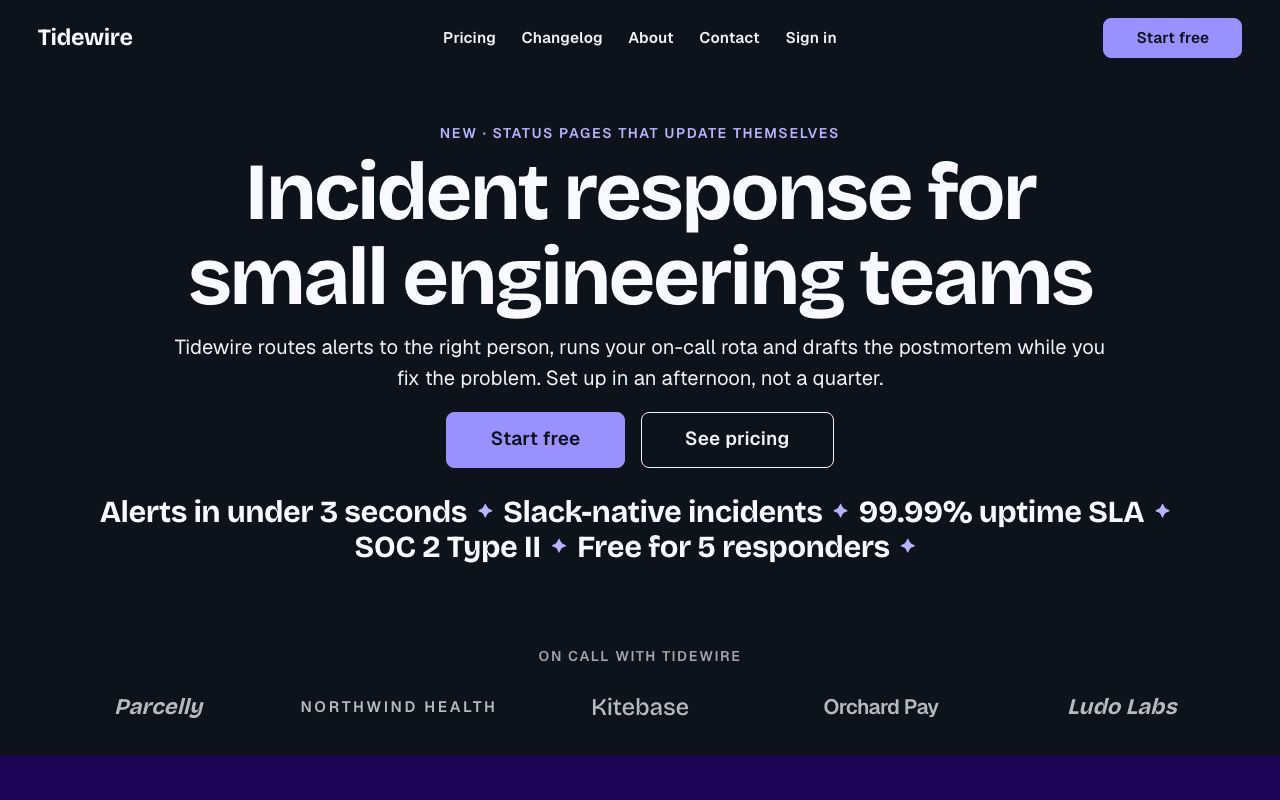
Signal, for products, startups, launches 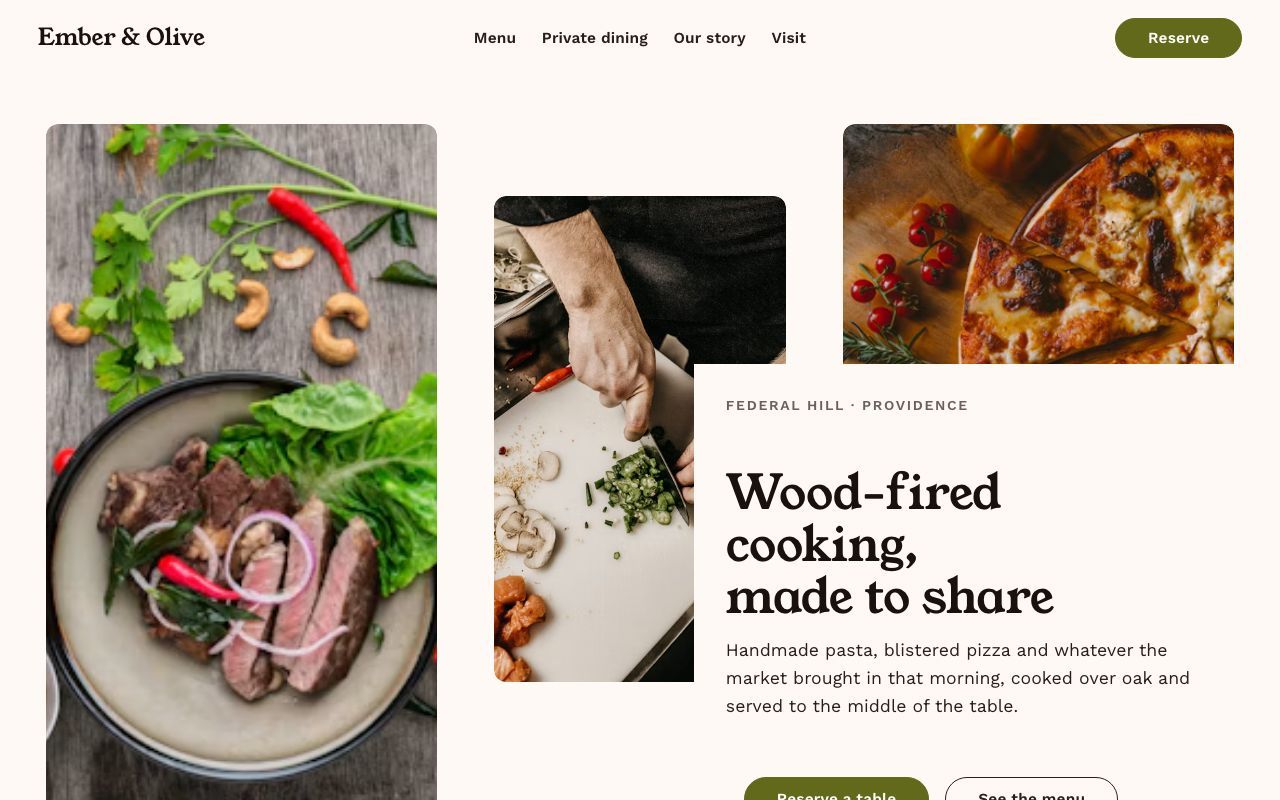
Hearth, for restaurants, cafés, bakeries 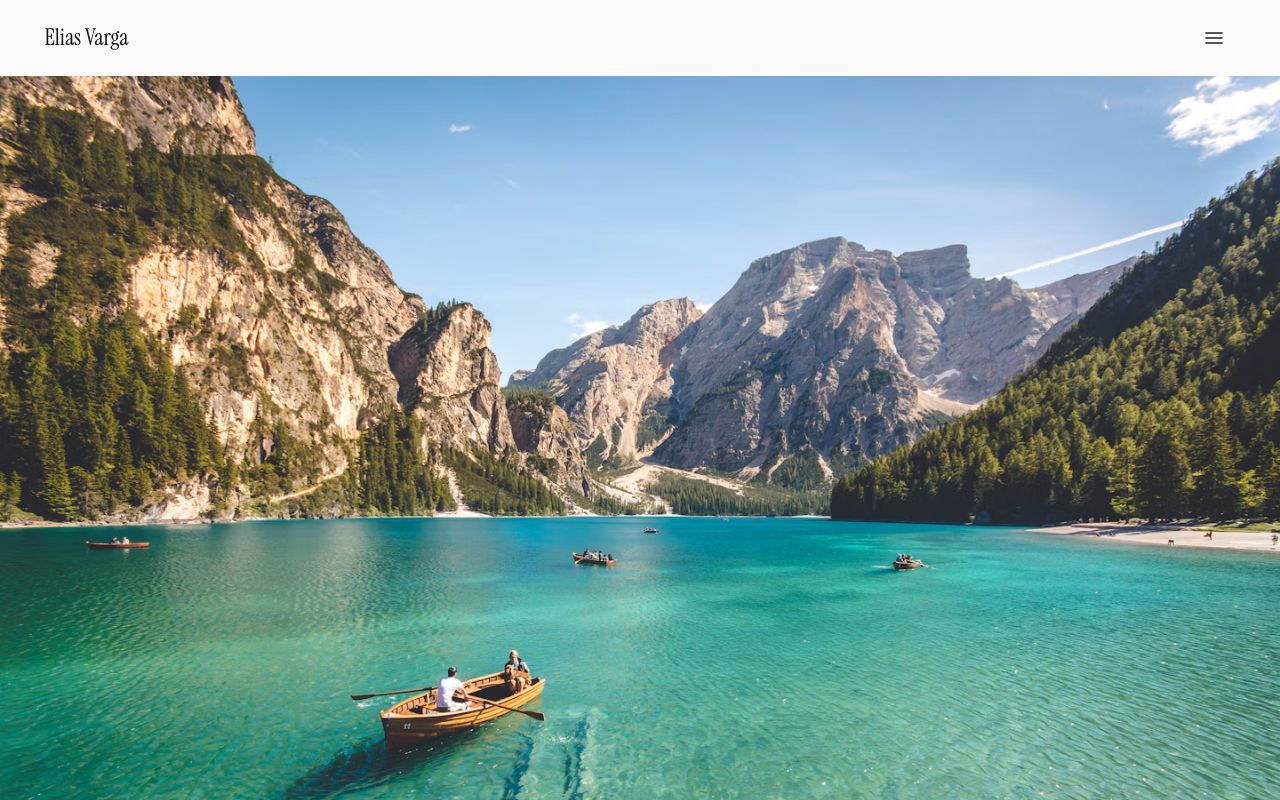
Atelier, for photographers, visual artists 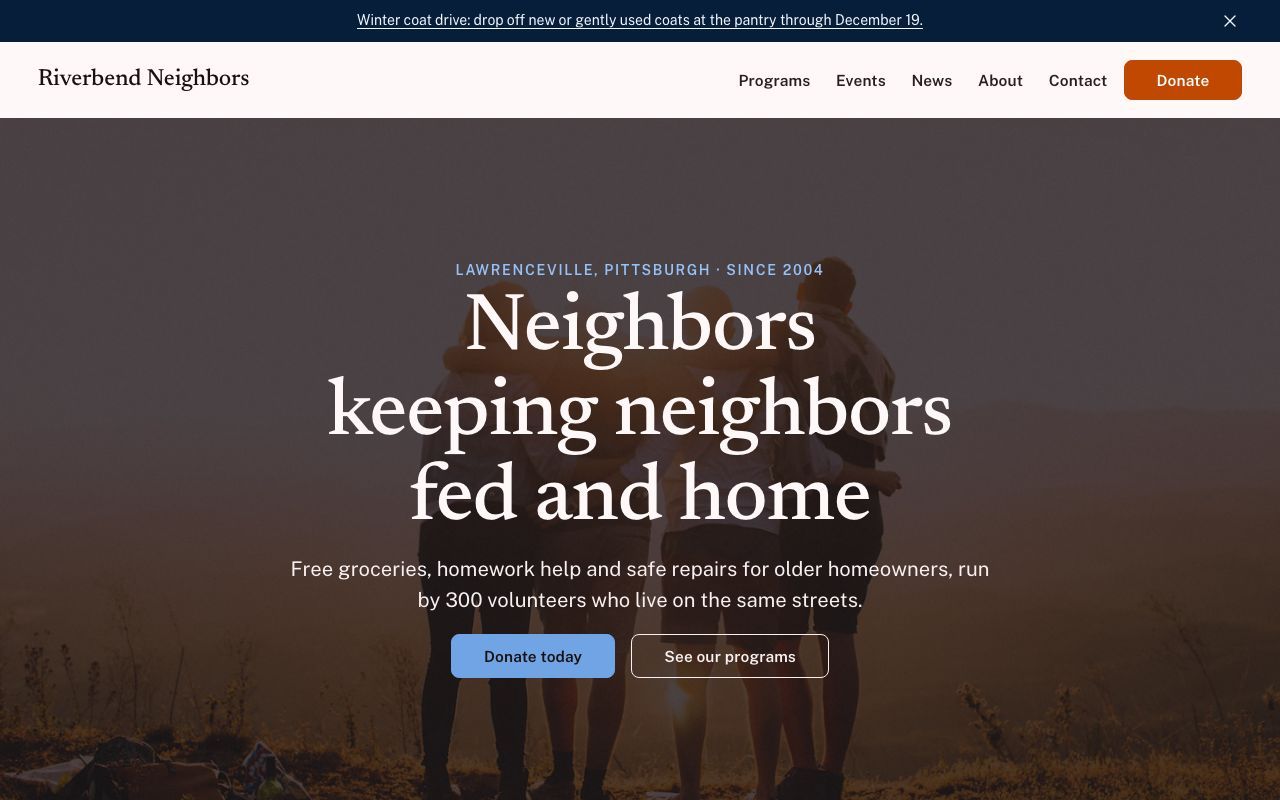
Harbor, for nonprofits, community organisations 
Encore, for musicians, performers, podcasters 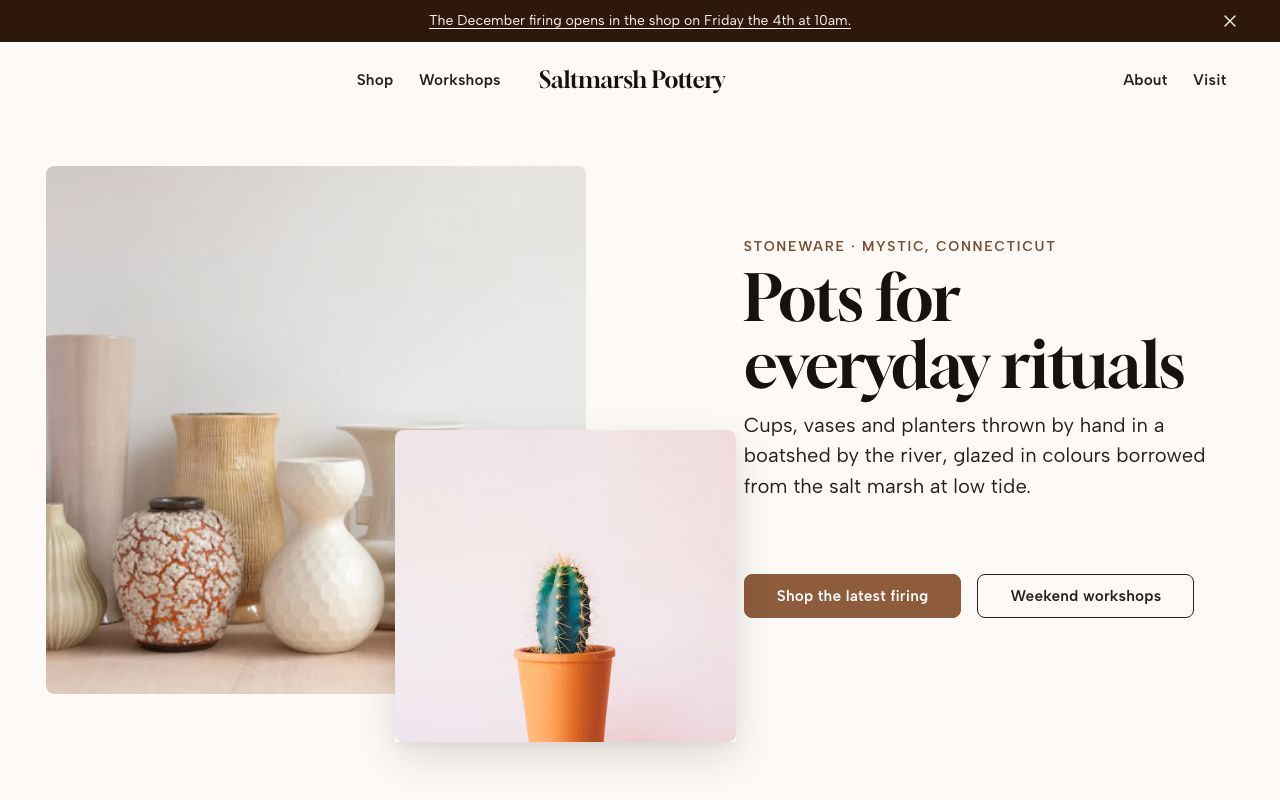
Kiln, for makers, small shops 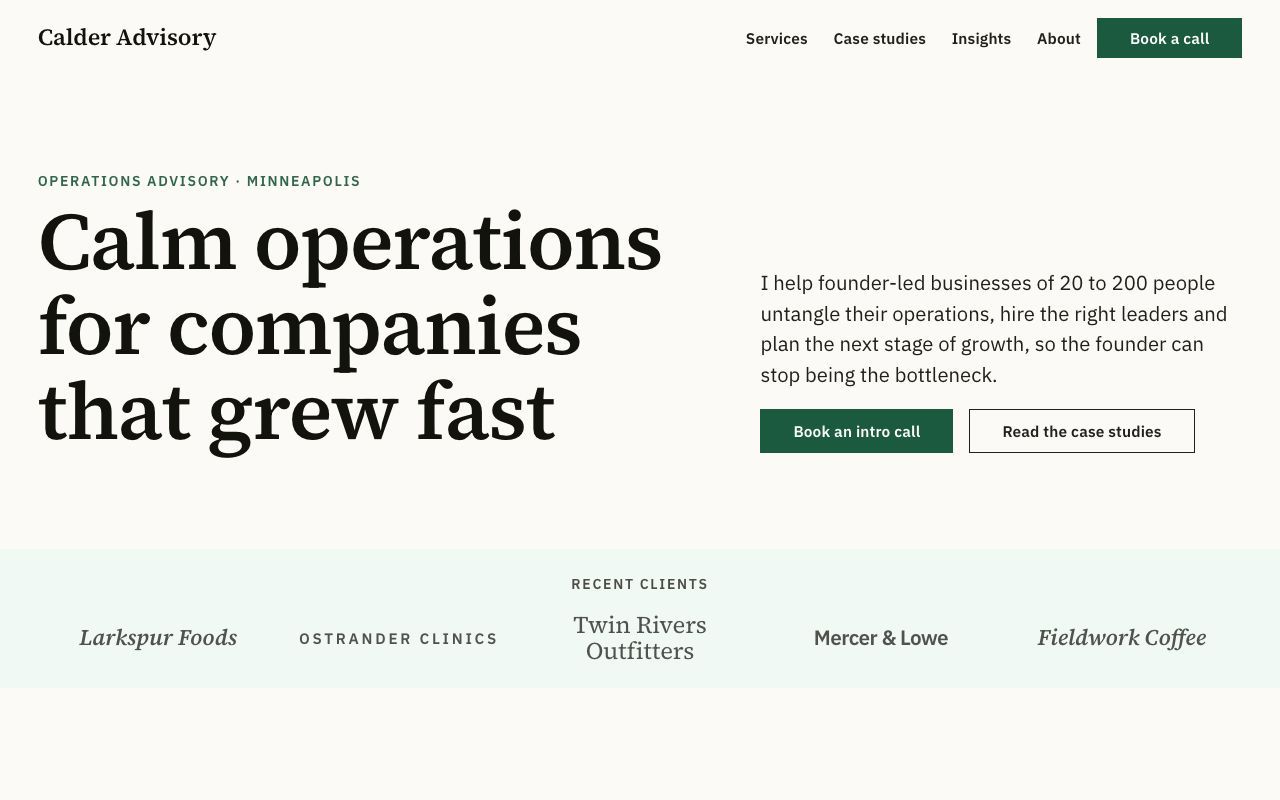
Ledger, for consultants, coaches, freelancers 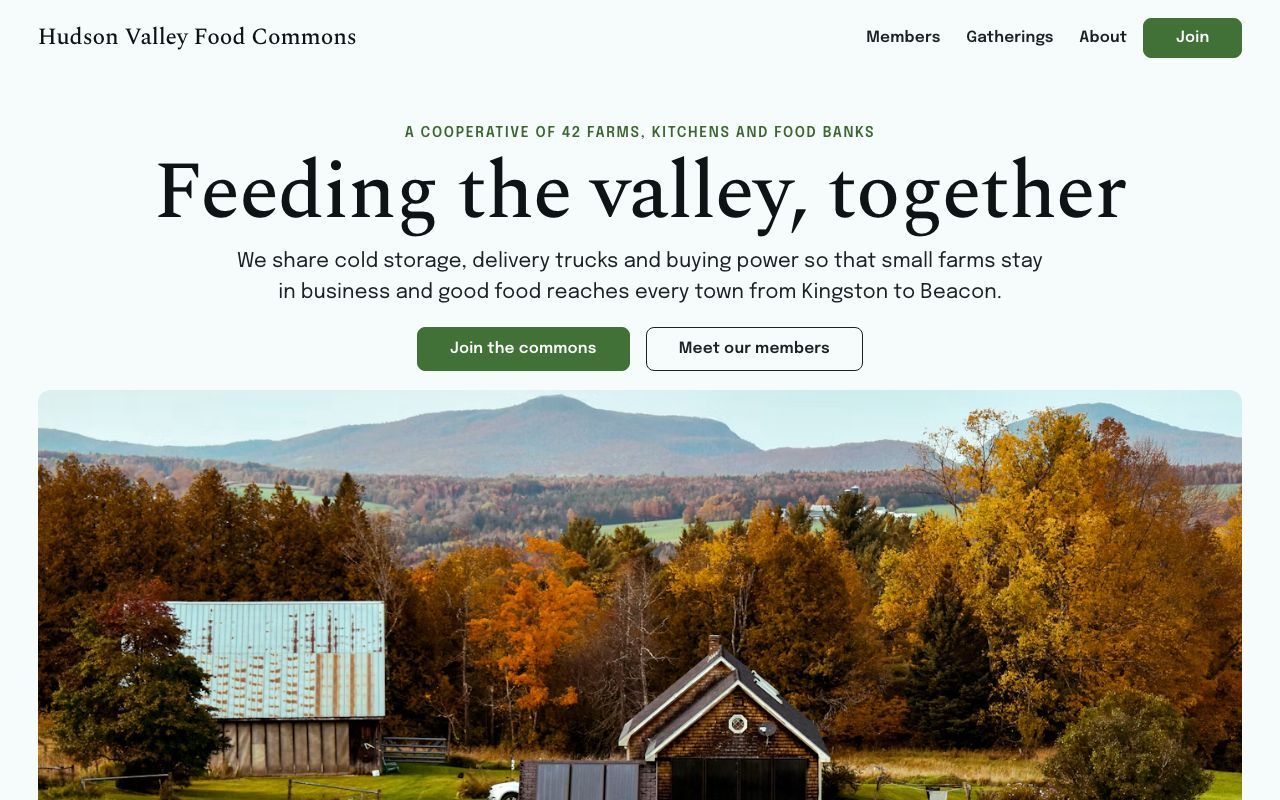
Commons, for coalitions, cooperatives, movements 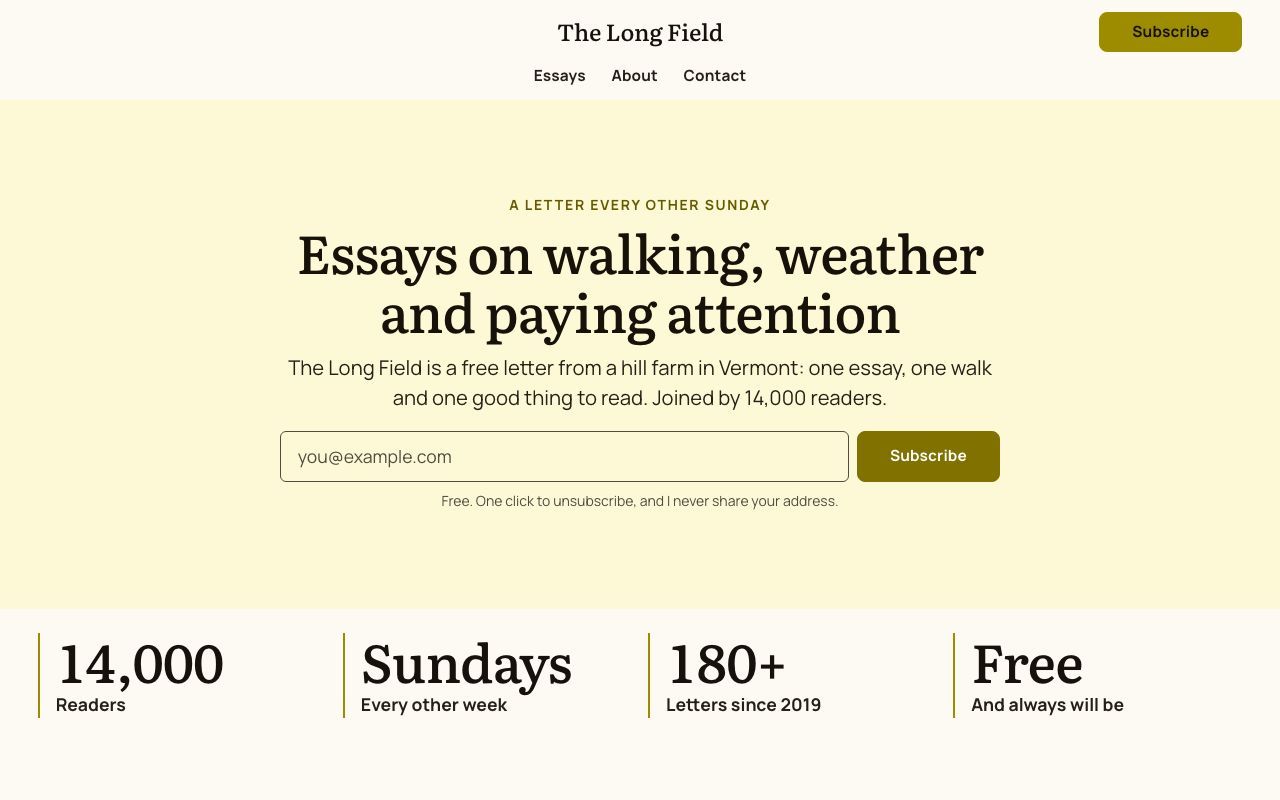
Field Notes, for writers, newsletters, blogs 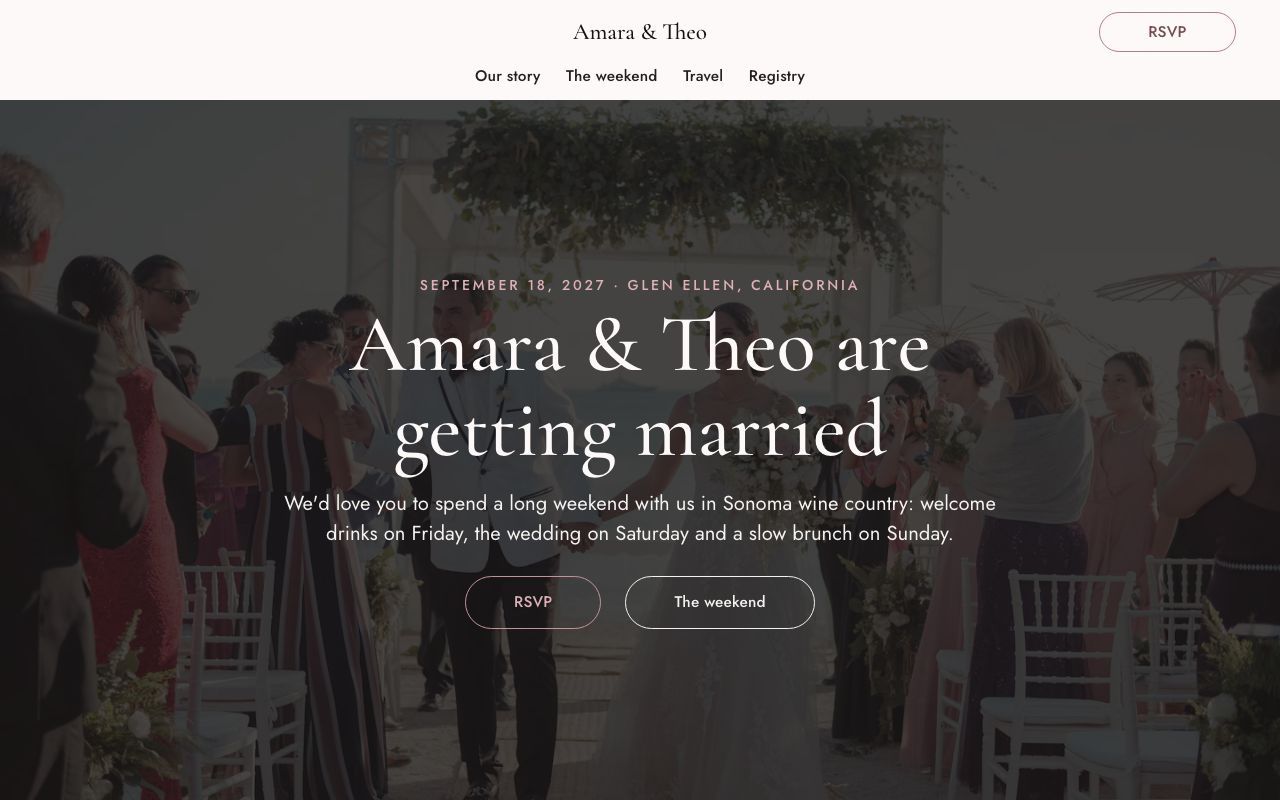
Vow, for weddings, celebrations 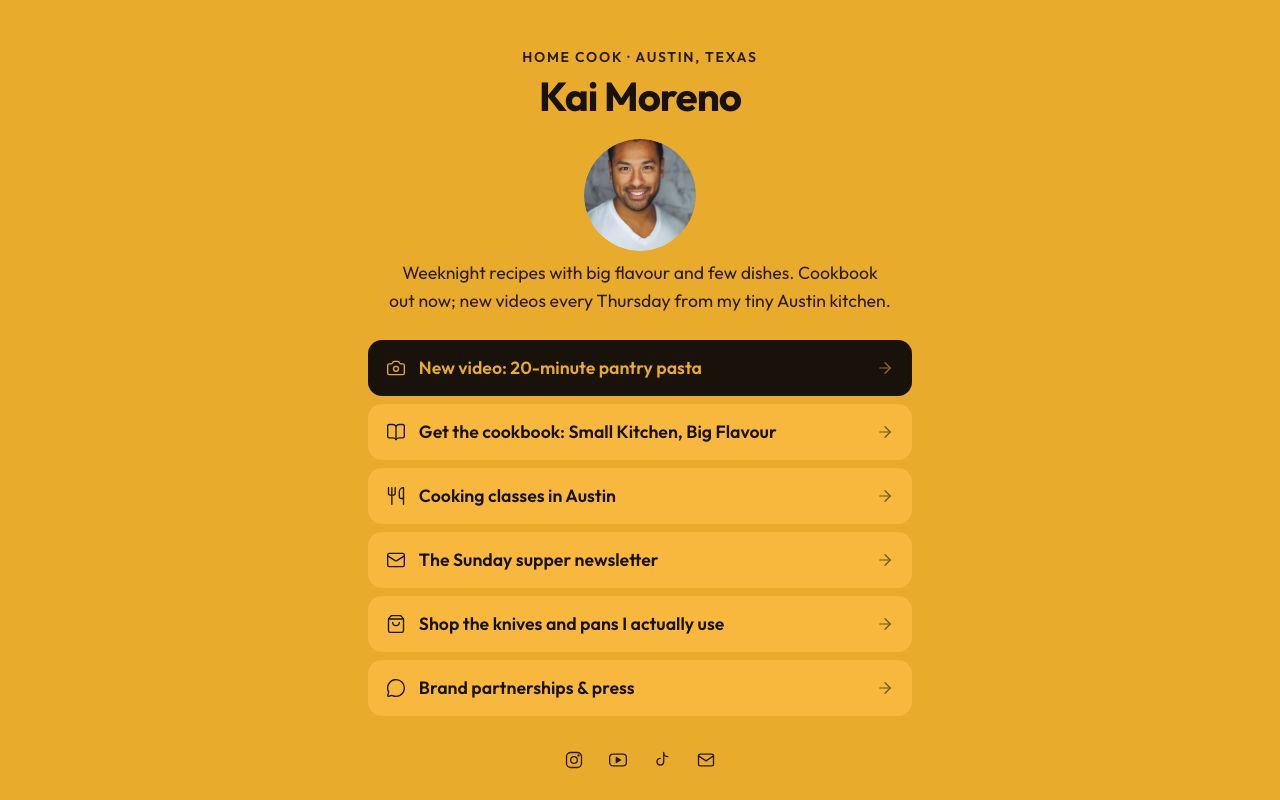
Link, for link-in-bio, single page


If OpenSpace disappeared tomorrow, your site would keep working
That's the test we design for. Nothing about your site lives only with us.
Free forever, kept going by the people who use it
OpenSpace will never charge for your site. If leaving a builder saves you money, consider giving a little of it back: it keeps the shared Hub running and pays for the work that makes OpenSpace better.
Straight answers
Something else? Ask on GitHub, where the whole project happens in the open.
Is it ready?
Not quite: OpenSpace is pre-release. Studio, the templates, the CLI and the Claude plugin work today. The connections to GitHub, Cloudflare, Stripe and email providers are built and tested against stand-ins, and some haven't yet run against the live services, so treat a business-critical site as an early adopter would.
Is it really free?
Hosting is, because your site runs on GitHub Pages or your own Cloudflare account. The shared Hub, which handles forms, newsletters and analytics, is free with fair-use limits, such as 1,000 form entries a month per site. Anyone can run their own Hub.
Do I need to know code or GitHub?
No. You need a free GitHub account, and Studio walks you through making one. After that you edit visually; words like repository and commit stay in Settings, under Advanced.
What does Claude cost?
Nothing extra from OpenSpace. Claude works on your site with your own Claude account. OpenSpace never runs an AI model, so it has nothing to meter.
Can I sell things or run a members area?
Yes, with your site on your own Cloudflare account and payments through your own Stripe account. OpenSpace takes no cut; Stripe charges its usual card fees.
Can I use my own domain?
Yes. Buy one from any registrar, and the domain wizard shows the exact records to add and checks them until HTTPS is on.
Can I move my existing site?
Yes. Choose Move my site and paste its address: pages, blog posts, images, SEO details and redirects come across from Squarespace, WordPress, Wix, Webflow, GitHub Pages or anywhere else, with nothing to install. Your old site stays online until you decide. Claude can then compare the old and new pages side by side and polish them.
Who pays for it?
Hosting costs nothing because it runs on your own free accounts. The shared Hub and ongoing development are supported by voluntary gifts and grants. OpenSpace stays free whether or not you give.
Can I leave?
Any time, and you take it all. Your site is already a repository in your account that standard tools build, and your form entries, subscribers and orders export as CSV.
Make a website you'll never have to rent
Pick a template, or bring the site you have. It's free, and it's yours.